Why SHEAF?
We all age, and we all have stories.
Every family member has many stories later generations can benefit from. My own mother, in addition to hitting 80, was recently diagnosed with dementia, most likely Alzheimer's. I'm concerned she will forget stories I'll wish I'd heard or written down. How best to capture these stories before she passes on or loses memories so our family doesn't lose them forever?
The LLMs of today can parse large amounts of content and find patterns far more rapidly than any human. What if we could use the unprecedented machine learning tools at our disposal, along with the ubiquitous technology hardware we carry around every day, to simplify and enhance the process of capturing, organizing, and interrelating these stories for ourselves and our descendants? Beyond that, what if we integrated with existing genealogy databases to automatically enhance the depth and interrelation of information?
SHEAF is designed to fine-tune the process of capturing stories while employing AI tools to enrich the human experience of recording, managing, and enjoying video, audio, or written histories. Family "archivists," aging elders, and future generations can all benefit from a service that helps collect, preserve, and enable sharing and communication about and around the experiences of others we care about, or descend from.
Prototype
Created to simplify story capture, SHEAF is a mobile app concept intended for both Android and iOS devices. An organizer will be able to set up (or initiate off-the-cuff, or upload) a video or audio call with one or more people, either remotely or in-person. The conversation will be recorded, then transcribed and analyzed by an LLM to summarize the conversation, assess topics discussed, generate lists of tags, and cross-reference people, events, and topics with other stories from within the group. Conversation participants and other family or group members will then be able to search among, then view, listen to, or read the content, comment on it, favorite or "like" stories, and share them with others in the group. Stretch goals will include integration with external genealogy databases like Ancestry.com, FamilySearch, WikiTree, and others.
The Organizer interface for SHEAF is currently viewable as an interactive Figma Prototype, best viewed full-screen.
Process
The original concept for SHEAF began with my mother's diagnosis. Initially I thought of creating a VR app for dementia patients. I envisioned it as a suite of features intended to support brain function and social interaction. Tech platforms I considered several hardware platforms, from Apple Vision Pro and Meta Quest, to Meta's RayBan frames, to open source concepts like Holokit. Ultimately, the scope of such an undertaking proved far too expansive, expensive, and time-intensive, and I scaled back to the current concept.
Stakeholder Interview
The first step of that revised process included an interview with the primary stakeholder herself, my mother. I then used an AI-driven service, riverside.fm, to obtain a rough transcription. This led to a significant, if obvious, conclusion: The primary user for an app of this type will not likely be the storyteller, but somebody more focused on gathering historical family materials. Every family seems to have at least one, and they will be the ones most motivated to find tools to help them collect and organize their content. Given my mother's age, lack of interest and comfort with technology, and diminishing cognitive state, she would be unlikely to consider using even a highly user-friendly app. This essentially became my starting point.

Concept Sketches & Wireframing
I always begin with paper and pencil (or Sharpie) sketches of concepts, features, functions, and important data model elements. Next, I sketch UX flows and screens. I generally like to focus on detail pages first to clarify the end goals, then work in reverse to sketch list- and landing-type pages, returning later to flesh out admin functions, error screens, onboarding flows, search flows, etc.
In addition, I used Notion to capture ideas in and beyond scope, such as integrating with existing genealogy databases to automagically generate and extend family trees, using APIs to parse, transcribe, cross-reference, analyze, and tag content, and so on.


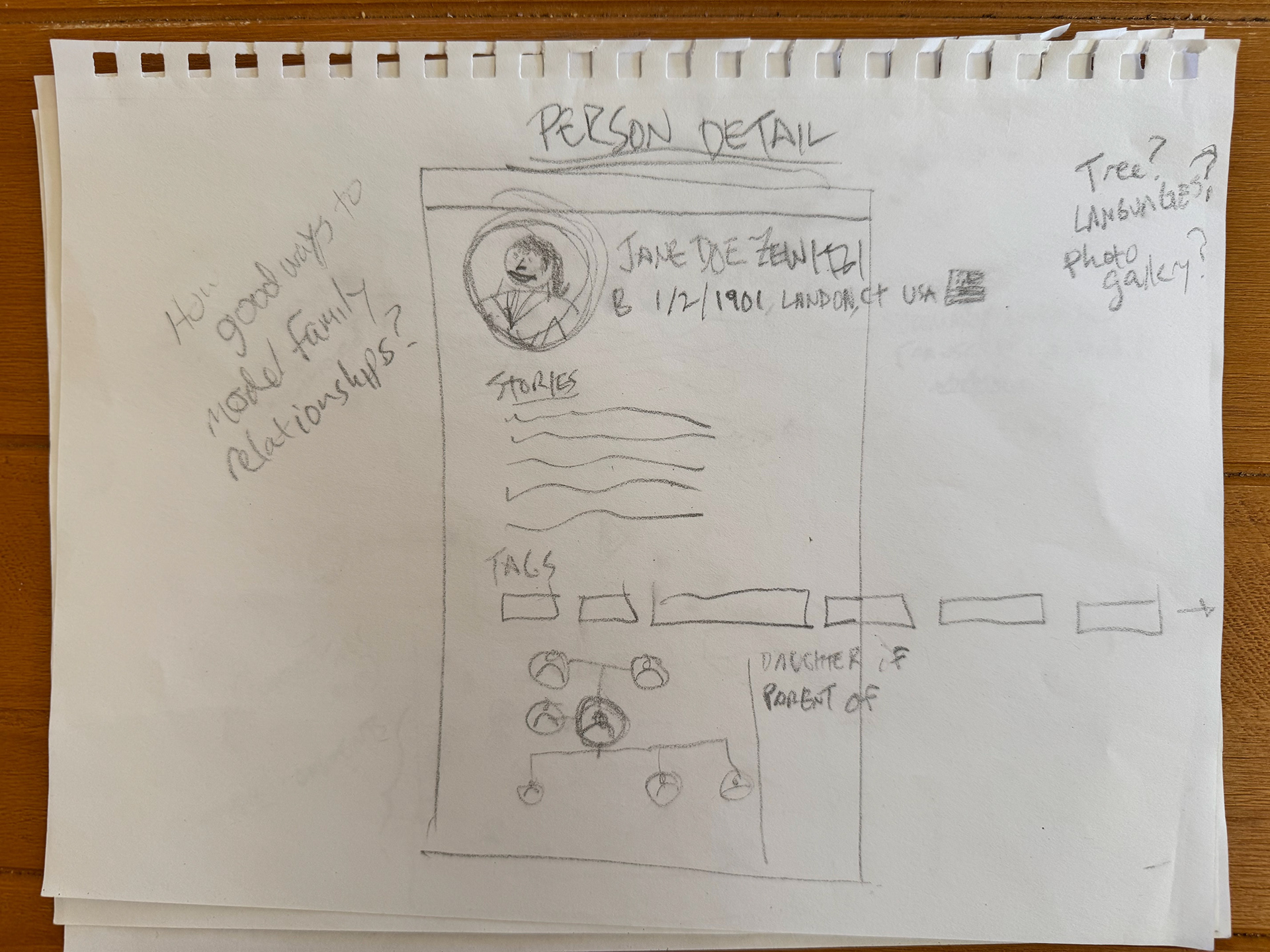
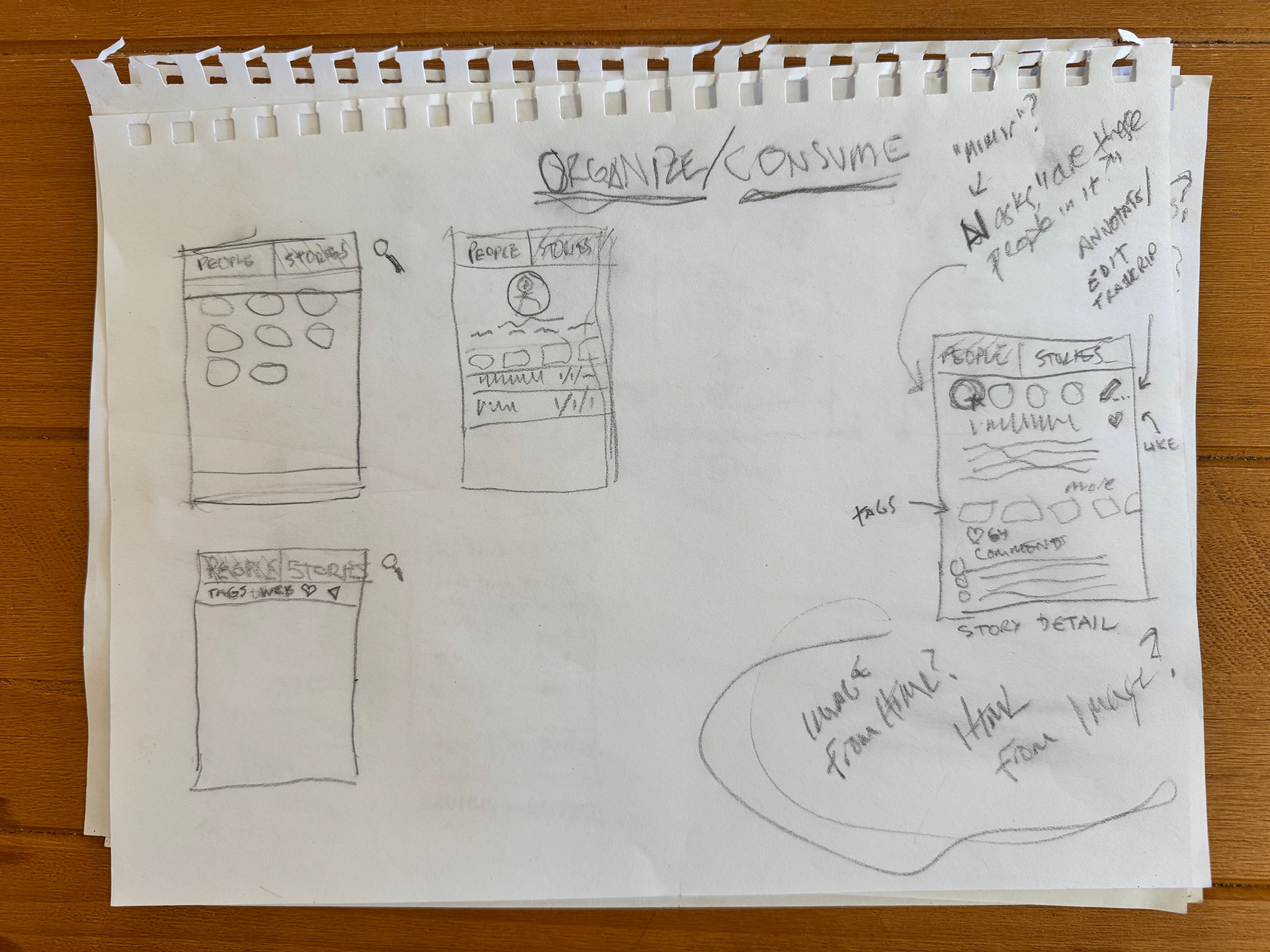
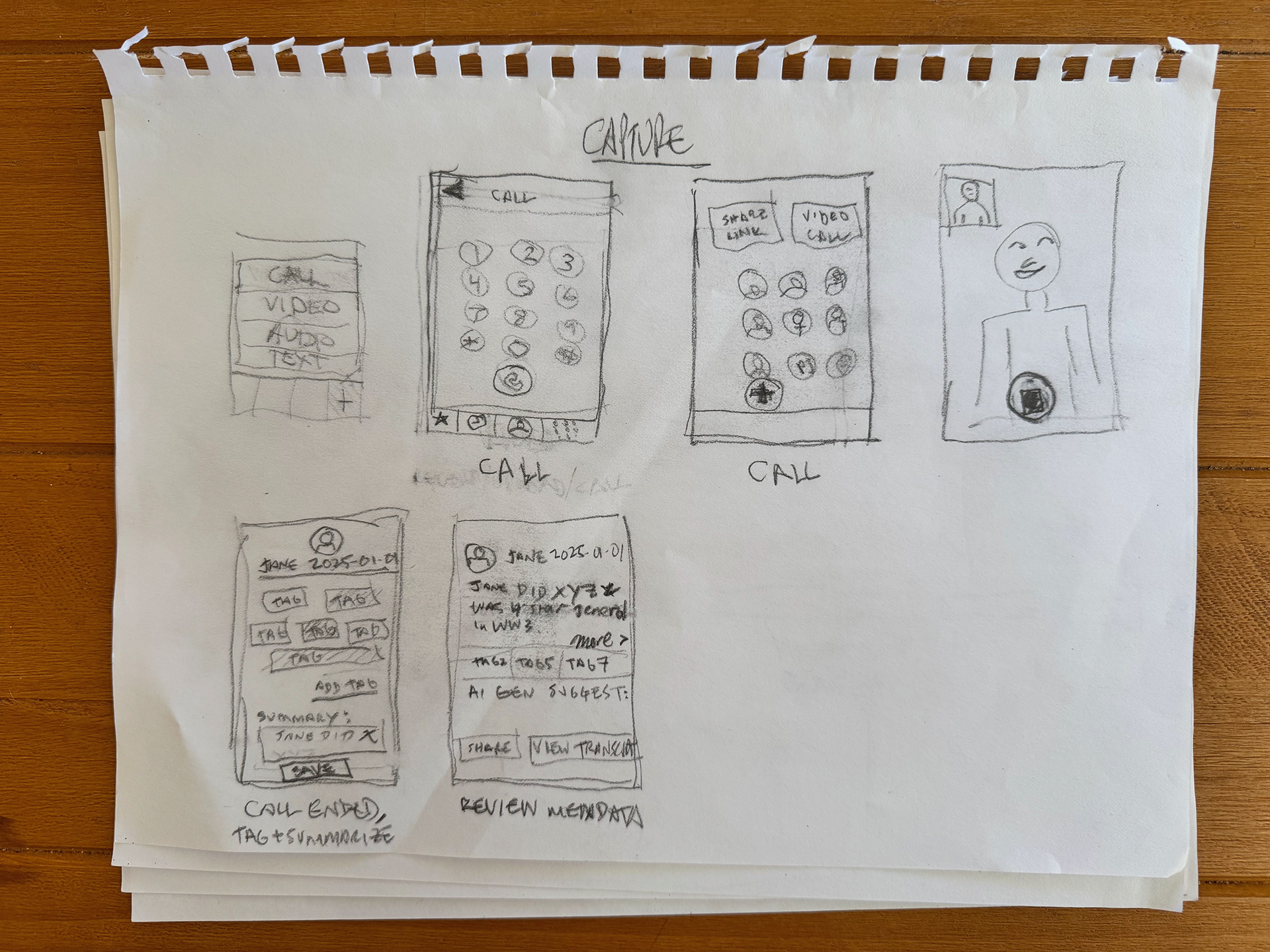
Data Modeling
Shortly after, or concurrently with, sketching out the requirements, I like to consider the data model. Does a particular data model suggest any development or feature priorities? Does it give me any new ideas? What could or should the primary entities be, and how does that impact my thinking about the app design and user experience?
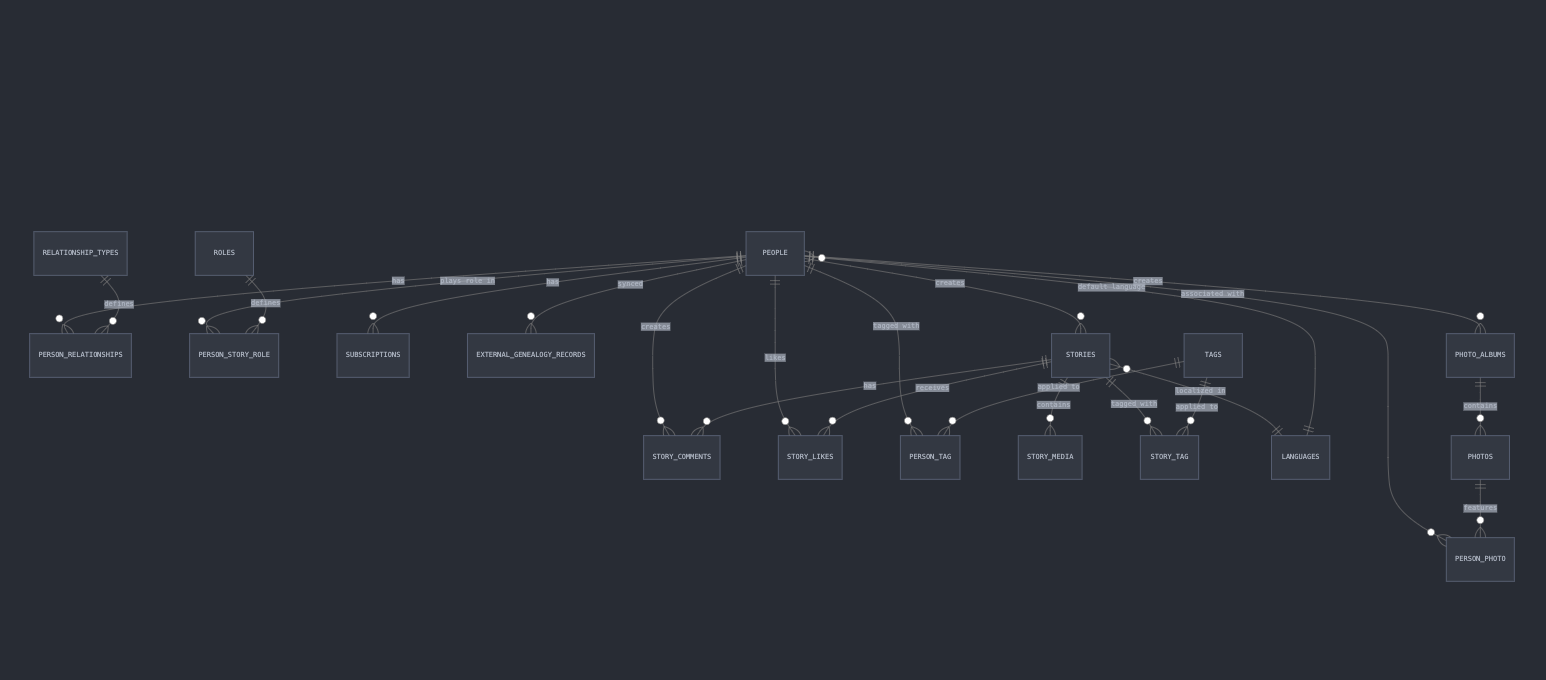
Identity Design & Brand
Initially I thought in literal terms for an app name and brand. "Family" plus "Media' plus "Organization" somehow. I asked both AI models to generate name ideas, none of which I liked, though I settled on "StoryTree" to start, and generated dozens of designs for them using Midjourney's AI image generation.


Hi-Fi Comps & UX Flows
It was time to combine the wireframes with design elements and map out some interaction flows. I used two tools for this, Galileo AI for designing Figma-ready pages from my prompts, and Figma to fine-tune designs, placeholder copy, and to create an interactive prototype.
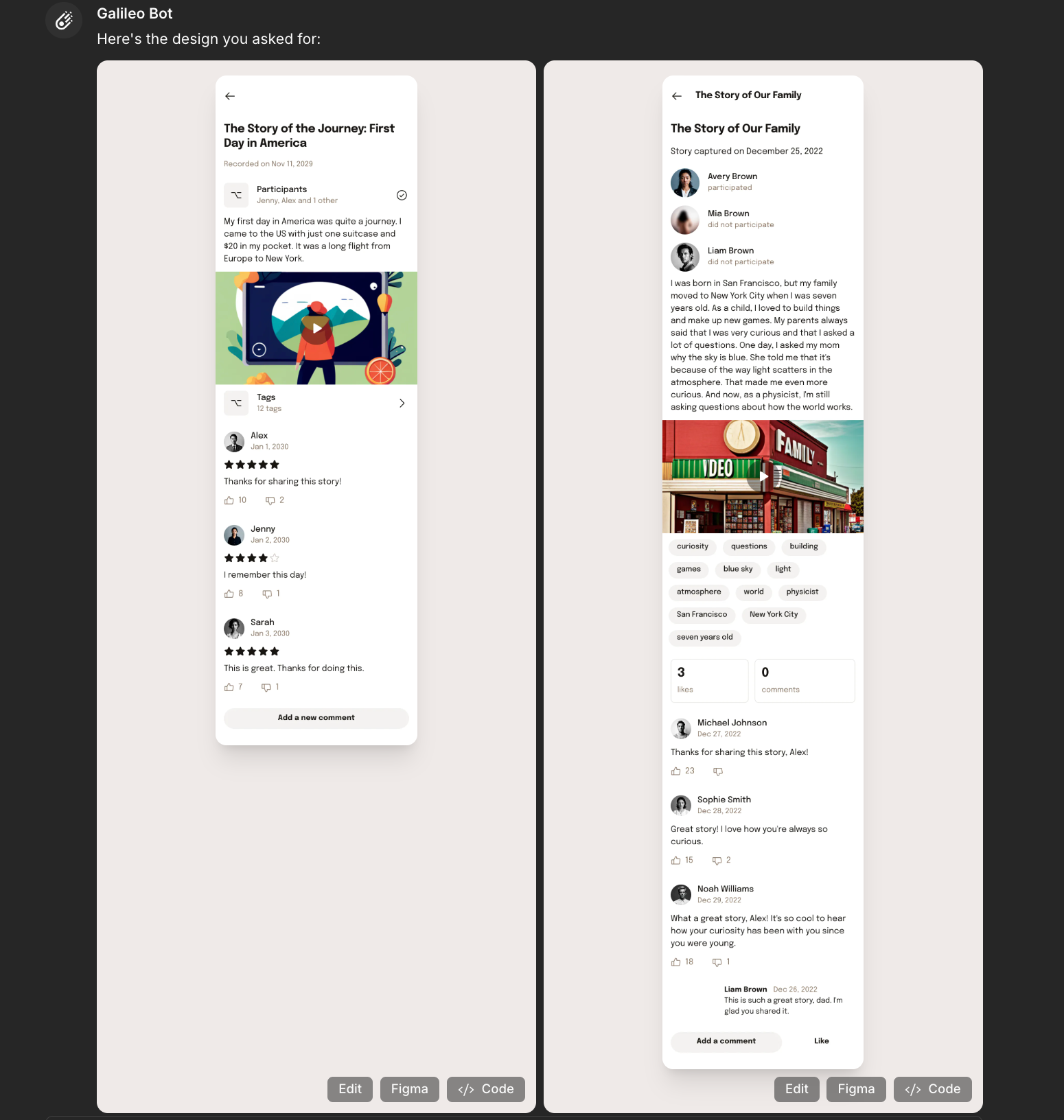
In Galileo I used the "Text to UI" feature with prompts such as:
Can you put together a detail page for a Story Detail page in an app for capturing family stories? The color scheme should be simple, very spacious and readable, with large font sizes, extremely high usability, large click or tap targets, and a warm color scheme. The elements in the layout should be: Title of Story Date Story was captured A list of 3 hotlinked names of people related to this story, with small avatar thumbnails. One of these people should be highlighted (both the avatar and the name) to indicate they participated in the capture of the story. A 255 character summary of the story, with a link to view the full Transcript of the story A media player to view the video or audio of the story A list of 12 hotlinked Tags associated with this story A comments section which shows the avatar and name of the commenter, the date of the comment, and the first line of the comment which has a toggle to show the rest of the comment. Each comment should have a "Reply" link. The comments section should also have a button for adding a new comment.
The result looked like this, initially (I was able to revise it):
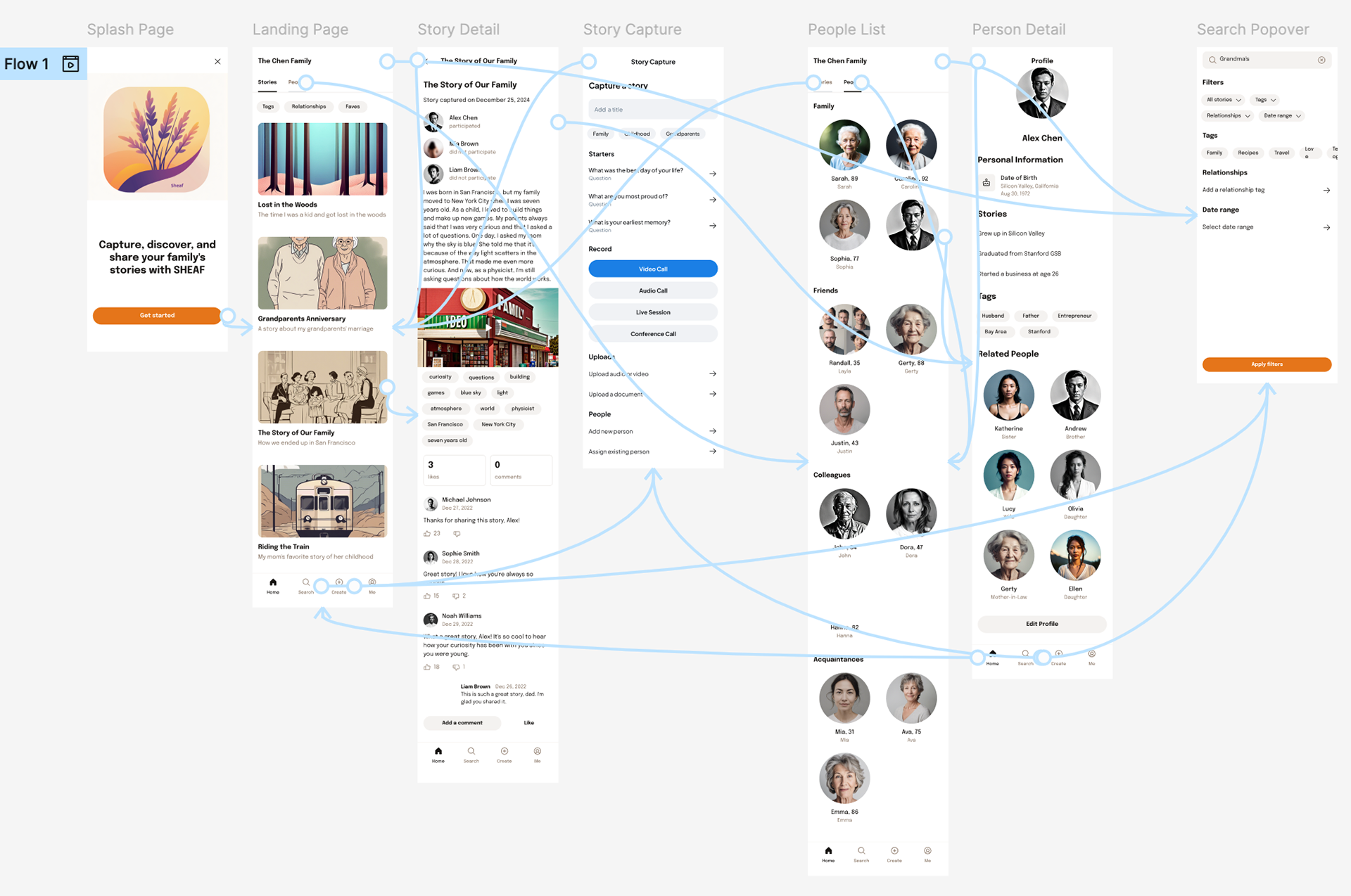
You'll notice a "Figma" button on the bottom of each mockup above. That enabled me to copy the design, with layers and text, to Figma for editing and linking. The results of that appear at the beginning of this document, but you can view the layouts in the screenshot below:
Conclusion
This concept changed completely from the idea it began with. First, the logistical requirements dictated a different approach. This included relying on some (and evaluating many more) of the current crop's best and newest AI content generation tools like ChatGPT, Claude, Galileo, and MidJourney. Second, insights I gained from interviewing my subject suggested a simpler course, with a different stakeholder in mind. Steve Jobs' famous quote aside, there's no substitute for talking with the people who you hope will use, or benefit from, your work. SHEAF in its current incarnation feels achievable with limited resources and time. Who knows where it could lead?